



引言:状态码不是数字游戏
作为运维工程师,每天都要和 502、503、504 这些状态码打交道。但真正能说清楚这三者区别的人并不多——很多人只知道”网关错误”,却不清楚具体是哪个环节出了问题。
这篇文章从 HTTP 协议原理讲起,详细区分这三种状态码的触发场景、排查方法,并给出实际的排障案例。看完之后,你遇到这类问题应该能快速定位根因。
前置知识:HTTP 协议基础、Nginx/Apache 基础
实验环境:CentOS Stream 9 / Ubuntu 24.04 LTS
1 HTTP 状态码体系
1.1 HTTP 状态码分类
HTTP 状态码结构:
    1xx - 信息响应
    2xx - 成功响应
    3xx - 重定向
    4xx - 客户端错误
    5xx - 服务器错误

重点关注 5xx:
    502 Bad Gateway
    503 Service Unavailable
    504 Gateway Timeout
1.2 5xx 状态的共同点
# Nginx 配置:返回 5xx 状态码时记录详细日志
log_format detailed '$remote_addr - $remote_user [$time_local] '
                    '"$request" $status $body_bytes_sent '
                    '"$http_referer" "$http_user_agent" '
                    'rt=$request_time uct="$upstream_connect_time" '
                    'uht="$upstream_header_time" urt="$upstream_response_time"';

access_log /var/log/nginx/detailed.log detailed;

# 自定义错误页面
error_page 502 503 504 /50x.html;
location = /50x.html {
    root /usr/share/nginx/html;
    internal;
}
1.3 错误码与 HTTP 协议层的关系
                    ┌─────────────────────────────────────┐
                    │           HTTP 层(应用层)           │
                    │  理解请求内容、状态码、缓存控制等      │
                    └─────────────────────────────────────┘
                                    ▲
                                    │ 协议解析
                                    │
┌─────────────────────────────────────┴───────────────────────────┐
│                     Proxy/网关 层                               │
│  Nginx 作为反向代理,接收客户端请求,转发给后端                    │
│  Nginx 负责返回 502/503/504 状态码                              │
└─────────────────────────────────────────────────────────────────┘
                                    ▲
                                    │ 转发请求
                                    │
┌─────────────────────────────────────┴───────────────────────────┐
│                   Upstream(后端服务)层                         │
│  PHP-FPM、Node.js、Python uWSGI、Java Tomcat 等                  │
│  后端服务可能返回 500 错误或其他状态                              │
└─────────────────────────────────────────────────────────────────┘
2 502 Bad Gateway 深度解析
2.1 502 的定义
502 Bad Gateway:作为网关或代理的服务器收到了无效响应。
客户端                    Nginx                      PHP-FPM
  |                         |                           |
  | ──────── GET / ──────> |                           |
  |                         | ──────── FastCGI ──────> |
  |                         |                           |
  |                         | <─────── (无响应) ─────── |
  |                         |      连接被拒绝/超时       |
  |                         |                           |
  | <──── 502 Bad Gateway -|                           |
  |                         |                           |
2.2 502 的典型触发场景
场景一:后端服务未启动
# 检查 PHP-FPM 是否运行
systemctl status php-fpm
# 或
ps aux | grep php-fpm

# 如果未运行
sudo systemctl start php-fpm
sudo systemctl enable php-fpm
场景二:后端端口配置错误
# Nginx 配置
upstream backend {
    server 127.0.0.1:9000;  # 正确的端口
    # server 127.0.0.1:9001;  # 错误的端口(服务未监听)
}

server {
    listen 80;
    server_name example.com;

    location / {
        proxy_pass http://backend;
        proxy_set_header Host $host;
        proxy_set_header X-Real-IP $remote_addr;
    }

    # FastCGI 配置(PHP)
    location ~ \.php$ {
        fastcgi_pass 127.0.0.1:9000;  # 检查端口是否正确
        fastcgi_index index.php;
        include fastcgi_params;
        fastcgi_param SCRIPT_FILENAME $document_root$fastcgi_script_name;
    }
}
场景三:后端服务崩溃
# 查看 PHP-FPM 错误日志
tail -100 /var/log/php-fpm/error.log
# 或
journalctl -u php-fpm -n 100 --no-pager

# 查看进程状态
ps aux | grep php-fpm
# 如果进程存在但无法响应,可能是 worker 进程耗尽
场景四:连接数耗尽
# PHP-FPM 配置检查
cat /etc/php-fpm.d/www.conf | grep -E "^pm|^pm\.|^request_"

# 典型配置
[www]
pm = dynamic
pm.max_children = 50      # 最大子进程数
pm.start_servers = 5     # 启动时进程数
pm.min_spare_servers = 5 # 最小空闲进程
pm.max_spare_servers = 35 # 最大空闲进程
pm.max_requests = 500    # 每个进程处理多少请求后回收

# 如果 max_children 已满,新请求会排队或超时
2.3 502 排查流程图
502 错误发生
    │
    ├── Step 1: 检查 Nginx 能否连接后端
    │   ├── telnet 127.0.0.1 9000
    │   ├── nc -zv 127.0.0.1 9000
    │   └── ss -tlnp | grep 9000
    │
    ├── Step 2: 检查后端服务状态
    │   ├── systemctl status php-fpm
    │   ├── ps aux | grep php-fpm
    │   └── ss -tlnp | grep :9000
    │
    ├── Step 3: 检查后端资源
    │   ├── /var/log/php-fpm/error.log
    │   ├── dmesg | tail
    │   └── free -h
    │
    └── Step 4: 检查 Nginx 日志
        ├── /var/log/nginx/error.log
        └── /var/log/nginx/access.log (rt 字段)
2.4 502 实际排查脚本
#!/bin/bash
# check_502.sh - 502 错误快速排查

echo "=========================================="
echo "          502 错误排查"
echo "=========================================="

# 1. 检查 Nginx 状态
echo ""
echo "[1] Nginx 服务状态"
systemctl is-active nginx && echo "✓ Nginx 运行中" || echo "✗ Nginx 未运行"
ss -tlnp | grep :80 | head -5

# 2. 检查后端服务
echo ""
echo "[2] PHP-FPM 服务状态"
systemctl is-active php-fpm && echo "✓ PHP-FPM 运行中" || echo "✗ PHP-FPM 未运行"
ps aux | grep -E "php-fpm|php-cgi" | grep -v grep | head -5

# 3. 检查端口监听
echo ""
echo "[3] 端口监听状态"
ss -tlnp | grep -E ":80|:9000|:9001|:8080" | head -10

# 4. 检查连接测试
echo ""
echo "[4] 后端连接测试"
timeout 3 bash -c "echo > /dev/tcp/127.0.0.1/9000" 2>/dev/null && echo "✓ 127.0.0.1:9000 可连接" || echo "✗ 127.0.0.1:9000 无法连接"
timeout 3 bash -c "echo > /dev/tcp/127.0.0.1/9001" 2>/dev/null && echo "✓ 127.0.0.1:9001 可连接" || echo "✗ 127.0.0.1:9001 无法连接"

# 5. 检查资源使用
echo ""
echo "[5] 资源使用情况"
free -h | grep Mem
df -h / | tail -1

# 6. 查看 Nginx 错误日志
echo ""
echo "[6] Nginx 502 错误日志(最近 10 条)"
grep -A2 "502" /var/log/nginx/error.log 2>/dev/null | tail -20

# 7. 查看 PHP-FPM 错误日志
echo ""
echo "[7] PHP-FPM 错误日志(最近 10 条)"
tail -10 /var/log/php-fpm/error.log 2>/dev/null || tail -10 /var/log/php-fpm/www-error.log 2>/dev/null

echo ""
echo "=========================================="
echo "            排查完成"
echo "=========================================="
3 503 Service Unavailable 深度解析
3.1 503 的定义
503 Service Unavailable:服务器暂时无法处理请求,可能是过载或维护。
客户端                    Nginx                      后端服务
  |                         |                           |
  | ──────── GET / ──────> |                           |
  |                         |                           |
  |                         | <─────── 503 ──────────   |
  |                         |   服务暂时不可用           |
  |                         |                           |
  | <──── 503 Service ----- |                           |
  |         Unavailable      |                           |
  |                         |                           |
3.2 503 的典型触发场景
场景一:后端服务主动返回 503
# Nginx 配置:限流触发 503
limit_req_zone $binary_remote_addr zone=one:10m rate=10r/s;

server {
    listen 80;
    server_name example.com;

    location / {
        limit_req zone=one burst=20 nodelay;
        proxy_pass http://backend;
    }
}

# 自定义 503 页面
error_page 503 /503.html;
location = /503.html {
    root /usr/share/nginx/html;
    internal;
}
场景二:维护模式
# 维护开关
set $maintenance false;

# 可以通过变量控制
if (-f /var/www/maintenance.html) {
    set $maintenance true;
}

server {
    listen 80;
    server_name example.com;

    if ($maintenance = true) {
        return 503;
    }

    location / {
        proxy_pass http://backend;
    }

    error_page 503 @maintenance;
    location @maintenance {
        root /var/www;
        rewrite ^(.*)$ /maintenance.html break;
    }
}
场景三:连接数限制
# Nginx 层面限制
limit_conn_zone $binary_remote_addr zone=addr:10m;

server {
    listen 80;

    location / {
        limit_conn addr 10;  # 每个 IP 最多 10 个连接
        proxy_pass http://backend;
    }
}
场景四:后端服务过载
# 查看当前连接数
ss -ant | grep :8080 | wc -l

# 查看 PHP-FPM 状态页面
# 需要启用 status 页面
cat /etc/php-fpm.d/www.conf | grep status
# pm.status_path = /status

# Nginx 配置 status 页面
location ~ ^/(status|ping)$ {
    access_log off;
    allow 127.0.0.1;
    deny all;
    fastcgi_pass 127.0.0.1:9000;
    fastcgi_param SCRIPT_FILENAME $document_root$fastcgi_script_name;
    include fastcgi_params;
}

# 访问状态页面
curl http://127.0.0.1/status
# pool:                 www
# process manager:      dynamic
# status:               idle
# accepted conn:        12345
# listen queue:         0
# max listen queue:     10
# listen queue len:     10
# idle processes:       4
# active processes:     1
# total processes:      5
# max children reached: 0
3.3 503 与限流的配合
#!/bin/bash
# test_nginx_limit.sh - 测试 Nginx 限流效果

echo "测试 Nginx 限流配置..."
echo ""

# 使用 ab 进行压力测试
# 安装 ab(如果未安装)
which ab || sudo dnf install httpd-tools -y

# 单个请求测试
echo "=== 正常请求测试 ==="
curl -I http://localhost/ 2>/dev/null | head -1

# 并发测试
echo ""
echo "=== 限流测试(20 并发,50 请求)==="
ab -n 50 -c 20 http://localhost/

# 查看限流日志
echo ""
echo "=== Nginx 限流日志 ==="
tail -20 /var/log/nginx/error.log | grep -i limit || echo "无限流日志"

# 查看响应码统计
echo ""
echo "=== 响应码统计 ==="
awk '{print $9}' /var/log/nginx/access.log | sort | uniq -c | sort -rn
3.4 503 排查流程图
503 错误发生
    │
    ├── Step 1: 判断是 Nginx 返回还是后端返回
    │   ├── 查看响应头
    │   └── curl -I http://example.com
    │
    ├── Step 2: 如果是 Nginx 返回
    │   ├── 检查限流配置 (limit_req)
    │   ├── 检查连接数限制 (limit_conn)
    │   └── 检查维护模式
    │
    └── Step 3: 如果是后端返回
        ├── 检查后端服务是否过载
        ├── 检查后端日志
        └── 检查后端资源状态
4 504 Gateway Timeout 深度解析
4.1 504 的定义
504 Gateway Timeout:作为网关或代理的服务器未能在规定时间内完成请求。
客户端                    Nginx                    后端服务
  |                         |                           |
  | ──────── GET / ──────> |                           |
  |                         | ──── 转发请求 ─────────> |
  |                         |                           |
  |                         |         (等待中...)       |
  |                         |                           |
  |                         |    ⏱ 超时!              |
  |                         | <─── (无响应) ────────── |
  |                         |                           |
  | <──── 504 Gateway ----- |                           |
  |         Timeout         |                           |
  |                         |                           |
4.2 504 的典型触发场景
场景一:后端处理时间过长
# Nginx 超时配置
server {
    listen 80;
    server_name example.com;

    # FastCGI 超时设置
    fastcgi_connect_timeout 60s;    # 连接后端超时
    fastcgi_send_timeout 60s;       # 发送请求超时
    fastcgi_read_timeout 60s;       # 读取响应超时

    # Proxy 超时设置
    proxy_connect_timeout 60s;
    proxy_send_timeout 60s;
    proxy_read_timeout 60s;

    location / {
        fastcgi_pass 127.0.0.1:9000;
        fastcgi_param SCRIPT_FILENAME $document_root$fastcgi_script_name;
        include fastcgi_params;
    }
}
场景二:慢查询导致 PHP-FPM 超时
# PHP-FPM 超时配置
# /etc/php-fpm.d/www.conf
request_terminate_timeout = 30s   # 单个请求超时
request_slowlog_timeout = 10s    # 慢查询日志阈值

# 查看 PHP-FPM 慢日志
tail -50 /var/log/php-fpm/www-slow.log

# 找到执行时间过长的脚本
cat /var/log/php-fpm/www-slow.log
# [07-Jan-2026 10:30:45]  [pool www] pid 12345
# script: /var/www/html/api.php
# call:   mysqli_query()
# timeout: 30s elapsed
场景三:数据库连接超时
<?php
// 数据库连接超时设置
$conn = new mysqli("localhost", "user", "pass", "db");

// 设置超时(秒)
$conn->options(MYSQLI_OPT_CONNECT_TIMEOUT, 5);

// 设置读超时
$conn->options(MYSQLI_OPT_READ_TIMEOUT, 30);

// 设置写超时
$conn->options(MYSQLI_OPT_WRITE_TIMEOUT, 30);

// 执行查询
$result = $conn->query("SELECT * FROM large_table");
?>
场景四:Nginx 等待后端响应超时
# 典型场景:API 接口处理时间过长

upstream backend {
    server 127.0.0.1:8080;
    keepalive 32;
}

server {
    listen 80;
    server_name api.example.com;

    # API 超时配置(较长)
    proxy_connect_timeout 300s;
    proxy_send_timeout 300s;
    proxy_read_timeout 300s;

    # 大文件上传场景
    client_max_body_size 100m;
    proxy_read_timeout 600s;

    location /api/ {
        proxy_pass http://backend;
        proxy_http_version 1.1;
        proxy_set_header Connection "";
        proxy_set_header Host $host;
    }
}
4.3 504 排查流程图
504 错误发生
    │
    ├── Step 1: 检查是哪个超时
    │   ├── Nginx -> 后端:proxy_read_timeout
    │   ├── FastCGI:fastcgi_read_timeout
    │   └── 后端 PHP:max_execution_time
    │
    ├── Step 2: 检查后端日志
    │   ├── PHP-FPM 慢日志
    │   ├── 后端应用日志
    │   └── 数据库慢查询日志
    │
    ├── Step 3: 检查后端性能
    │   ├── CPU 使用率
    │   ├── 内存使用率
    │   └── 数据库连接池
    │
    └── Step 4: 优化方案
        ├── 增加超时时间
        ├── 优化后端代码
        └── 使用异步处理
4.4 超时配置综合示例
# /etc/nginx/nginx.conf

# 全局超时配置
proxy_connect_timeout 60s;
proxy_send_timeout 60s;
proxy_read_timeout 60s;

# FastCGI 全局配置
fastcgi_connect_timeout 60s;
fastcgi_send_timeout 60s;
fastcgi_read_timeout 60s;
fastcgi_buffering_timeout 60s;

# uWSGI 超时配置
uwsgi_connect_timeout 60s;
uwsgi_send_timeout 60s;
uwsgi_read_timeout 60s;

server {
    listen 80;
    server_name example.com;

    # 默认页面配置
    location / {
        proxy_pass http://backend;
        proxy_set_header Host $host;
        proxy_set_header X-Real-IP $remote_addr;
        proxy_set_header X-Forwarded-For $proxy_add_x_forwarded_for;
    }

    # 静态资源(较短超时)
    location /static/ {
        proxy_pass http://static_backend;
        proxy_connect_timeout 10s;
        proxy_read_timeout 30s;
        expires 1d;
    }

    # API 接口(较长超时)
    location /api/ {
        proxy_pass http://api_backend;
        proxy_connect_timeout 300s;
        proxy_read_timeout 300s;
    }

    # 上传接口(更长超时)
    location /upload/ {
        proxy_pass http://upload_backend;
        proxy_connect_timeout 600s;
        proxy_read_timeout 600s;
        client_max_body_size 500m;
    }

    # 错误页面
    error_page 502 503 504 /50x.html;
    location = /50x.html {
        root /usr/share/nginx/html;
        internal;
    }
}
5 三种错误的对比
5.1 核心区别对比表
| 特性 | 502 Bad Gateway | 503 Service Unavailable | 504 Gateway Timeout |
|---|---|---|---|
| 含义 | 网关收到无效响应 | 服务暂时不可用 | 网关等待超时 |
| 问题位置 | 后端连接/后端崩溃 | 限流/过载/维护 | 后端处理太慢 |
| Nginx 视角 | 连接失败 | 连接成功但拒绝服务 | 连接成功但响应超时 |
| 常见原因 | 后端未启动、端口错误 | 限流、worker 耗尽 | 慢查询、接口耗时过长 |
| 解决方向 | 检查后端服务 | 扩容、限流、等待 | 优化后端代码 |
| HTTP 方法 | 所有方法 | 所有方法 | 通常 GET/POST |
5.2 响应时间对比
502: ████░░░░░░░░░░░░░░░░░  立即返回(连接失败)
503: ████░░░░░░░░░░░░░░░░░  立即返回(限流拒绝)
504: ██████████████████████  等待超时后返回
5.3 日志特征对比
# Nginx 错误日志示例

# 502 - 后端连接被拒绝
2026/01/15 10:30:45 [error] 12345#0: *1 connect() failed (111: Connection refused) while connecting to upstream, client: 192.168.1.100, server: example.com, request: "GET / HTTP/1.1", upstream: "fastcgi://127.0.0.1:9000", host: "example.com"

# 502 - 后端无响应
2026/01/15 10:31:00 [error] 12345#0: *2 no live connection while connecting to upstream, client: 192.168.1.101, server: example.com, request: "GET /api/data HTTP/1.1", upstream: "http://127.0.0.1:8080"

# 503 - 限流触发
2026/01/15 10:32:00 [error] 12345#0: *3 limiting connections by zone "addr" while connecting to upstream, client: 192.168.1.102, server: example.com, request: "GET / HTTP/1.1", upstream: "http://backend"

# 503 - 维护模式
2026/01/15 10:33:00 [error] 12345#0: *4 maintenance mode, client: 192.168.1.103, server: example.com, request: "GET / HTTP/1.1"

# 504 - FastCGI 超时
2026/01/15 10:34:00 [error] 12345#0: *5 upstream timed out (110: Connection timed out) while reading response header from upstream, client: 192.168.1.104, server: example.com, request: "GET /slow-api HTTP/1.1", upstream: "fastcgi://127.0.0.1:9000", host: "example.com"

# 504 - Proxy 超时
2026/01/15 10:35:00 [error] 12345#0: *6 upstream timed out (110: Connection timed out) while reading response header from upstream, client: 192.168.1.105, server: example.com, request: "GET /heavy-query HTTP/1.1", upstream: "http://127.0.0.1:8080"
6 实战排障案例
案例一:502 后端服务崩溃
现象:网站间歇性出现 502 错误
排查过程:
# 1. 检查 Nginx 错误日志
tail -100 /var/log/nginx/error.log | grep 502
# 输出:
# 2026/01/15 10:30:45 [error] 12345#0: *1 connect() failed (111: Connection refused) while connecting to upstream

# 2. 检查 PHP-FPM 状态
systemctl status php-fpm
# 输出:php-fpm.service - PHP FastCGI Process Manager
#    Active: inactive (dead) since Thu 2026-01-15 10:30:00 CST

# 3. 检查系统资源(OOM)
dmesg | grep -i "out of memory"
# 输出:
# [12543.123456] php-fpm[12345]: oom-kill: victim=12345

# 4. 检查内存使用
free -h
#                total        used        free      shared  buff/cache   available
# Mem:          7.6Gi       7.2Gi       128Mi        45Mi       200Mi        80Mi
# Swap:         2.0Gi       1.8Gi       200Mi

# 5. 查看 PHP-FPM 配置
cat /etc/php-fpm.d/www.conf | grep -E "^pm|^max_children|^request_terminate"
# pm.max_children = 50
# request_terminate_timeout = 30根因:PHP-FPM worker 进程耗尽内存,被 OOM Killer 杀死后服务停止。
解决:
# 1. 临时:启动 PHP-FPM
sudo systemctl start php-fpm

# 2. 调整 PHP-FPM 配置
# /etc/php-fpm.d/www.conf
[www]
pm = dynamic
pm.max_children = 20      # 减小,避免内存耗尽
pm.start_servers = 3
pm.min_spare_servers = 2
pm.max_spare_servers = 5
pm.max_requests = 200    # 减少每个 worker 处理请求数,防止内存泄漏

# 3. 调整 PHP 内存限制
php_admin_value[memory_limit] = 128M

# 4. 重启服务
sudo systemctl restart php-fpm
sudo systemctl restart nginx
案例二:504 慢查询超时
现象:查询接口频繁超时,返回 504
排查过程:
# 1. 查看 Nginx 错误日志
grep 504 /var/log/nginx/error.log | tail -20
# 输出:
# upstream timed out (110: Connection timed out) while reading response header

# 2. 查看 PHP-FPM 慢日志
cat /var/log/php-fpm/www-slow.log
# [07-Jan-2026 14:30:00]  [pool www] pid 12345
# script: /var/www/html/api/report.php
# call:   mysqli_query()
# timeout: 30s

# 3. 进入 MySQL 检查慢查询
mysql -u root -p -e "SHOW PROCESSLIST;"
# 输出:
# | Id | User | db      | Command | Time | State            | Info             |
# | 45 | app  | mydb    | Query   | 125  | Sending data     | SELECT * FROM huge_table |

# 4. 查看慢查询日志配置
mysql -u root -p -e "SHOW VARIABLES LIKE 'slow_query%';"
# slow_query_log = ON
# slow_query_log_file = /var/log/mysql/slow.log

# 5. 查看最近的慢查询
tail -20 /var/log/mysql/slow.log
# Query_time: 45.234521  Lock_time: 0.000023 Rows_sent: 500000  Rows_examined: 5000000
# SELECT * FROM huge_table WHERE created_at < '2026-01-01';根因:SQL 查询没有索引,全表扫描导致查询时间过长。
解决:
<?php
// 优化查询:添加分页
$page = isset($_GET['page']) ? (int)$_GET['page'] : 1;
$perPage = 100;
$offset = ($page - 1) * $perPage;

$stmt = $conn->prepare("SELECT * FROM huge_table WHERE created_at < ? ORDER BY id LIMIT ? OFFSET ?");
$stmt->bind_param("sii", $date, $perPage, $offset);
$stmt->execute();
?>
-- 添加索引
ALTER TABLE huge_table ADD INDEX idx_created_at (created_at);
ALTER TABLE huge_table ADD INDEX idx_created_at_id (created_at, id);
-- 验证索引
EXPLAIN SELECT * FROM huge_table WHERE created_at < '2026-01-01' ORDER BY id LIMIT 100;案例三:503 限流导致服务不可用
现象:促销活动期间,大量用户收到 503 错误
排查过程:
# 1. 检查 Nginx 限流配置
grep -r "limit_req" /etc/nginx/
# /etc/nginx/nginx.conf: limit_req_zone $binary_remote_addr zone=one:10m rate=10r/s;

# 2. 查看限流触发情况
tail -100 /var/log/nginx/error.log | grep "limiting"
# 输出:
# limiting requests, excess: 15.5 by zone "one"

# 3. 检查连接数
ss -ant | grep :80 | wc -l
# 输出:15000

# 4. 查看 PHP-FPM 状态
curl http://127.0.0.1/status
# pool:                 www
# accepted conn:        1000000
# listen queue:         50
# max listen queue:     100
# active processes:     50
# max children reached: 1

# 5. 统计 503 错误
grep "503" /var/log/nginx/access.log | wc -l
# 输出:12345根因:限流配置过于严格,高峰期正常请求被拒绝。
解决:
# 调整限流配置
# /etc/nginx/nginx.conf

# 限流配置 - 提高限制
limit_req_zone $binary_remote_addr zone=one:100m rate=100r/s;
limit_req_zone $binary_remote_addr zone=api:50m rate=50r/s;

server {
    listen 80;
    server_name example.com;

    # 普通页面 - 较高限制
    location / {
        limit_req zone=one burst=200 nodelay;
        proxy_pass http://backend;
    }

    # API 接口 - 较低限制(防止滥用)
    location /api/ {
        limit_req zone=api burst=50 nodelay;
        proxy_pass http://api_backend;
    }

    # 静态资源 - 几乎不限流
    location /static/ {
        limit_req zone=one burst=500;
        proxy_pass http://static_backend;
        expires 7d;
        add_header Cache-Control "public";
    }
}
7 监控与告警配置
7.1 监控 5xx 错误率
#!/bin/bash
# monitor_5xx.sh - 监控 5xx 错误率

LOG_FILE="/var/log/nginx/access.log"
ALERT_THRESHOLD=5  # 5xx 错误百分比阈值

# 获取当前分钟的错误统计
current_minute=$(date +"%d/%b/%Y:%H:%M")
total_requests=$(grep "$current_minute" "$LOG_FILE" | wc -l)
error_5xx=$(grep "$current_minute" "$LOG_FILE" | awk '$9 ~ /^5[0-9][0-9]$/' | wc -l)

if [ $total_requests -gt 0 ]; then
    error_rate=$(echo "scale=2; $error_5xx * 100 / $total_requests" | bc)
    echo "总请求: $total_requests"
    echo "5xx 错误: $error_5xx"
    echo "错误率: ${error_rate}%"

    if (( $(echo "$error_rate > $ALERT_THRESHOLD" | bc -l) )); then
        echo "⚠️ 告警:5xx 错误率超过 ${ALERT_THRESHOLD}%"
        # 发送告警(可接入 Prometheus/Zabbix)
    fi
else
    echo "当前分钟无请求"
fi
7.2 Prometheus 告警规则
# prometheus_5xx_alerts.yml
groups:
  - name: nginx_5xx_alerts
    rules:
      - alert: NginxHigh502ErrorRate
        expr: |
          sum(rate(nginx_http_requests_total{status=~"502"}[5m]))
          / sum(rate(nginx_http_requests_total[5m])) * 100 > 5
        for: 2m
        labels:
          severity: critical
        annotations:
          summary: "Nginx 502 错误率过高"
          description: "502 错误率超过 5%,当前值: {{ $value }}%"

      - alert: NginxHigh503ErrorRate
        expr: |
          sum(rate(nginx_http_requests_total{status=~"503"}[5m]))
          / sum(rate(nginx_http_requests_total[5m])) * 100 > 5
        for: 2m
        labels:
          severity: warning
        annotations:
          summary: "Nginx 503 错误率过高"
          description: "503 错误率超过 5%,当前值: {{ $value }}%"

      - alert: NginxHigh504ErrorRate
        expr: |
          sum(rate(nginx_http_requests_total{status=~"504"}[5m]))
          / sum(rate(nginx_http_requests_total[5m])) * 100 > 5
        for: 2m
        labels:
          severity: warning
        annotations:
          summary: "Nginx 504 错误率过高"
          description: "504 错误率超过 5%,当前值: {{ $value }}%"
7.3 Zabbix 监控模板
# Zabbix Agent 配置
# /etc/zabbix/zabbix_agentd.d/nginx_status.conf

UserParameter=nginx.active_connections,curl -s http://localhost/status | grep 'Active connections:' | awk '{print $3}'
UserParameter=nginx.accepts,curl -s http://localhost/status | awk '/^s+[0-9]+ [0-9]+ [0-9]+/ {print $1}'
UserParameter=nginx.handled,curl -s http://localhost/status | awk '/^s+[0-9]+ [0-9]+ [0-9]+/ {print $2}'
UserParameter=nginx.requests,curl -s http://localhost/status | awk '/^s+[0-9]+ [0-9]+ [0-9]+/ {print $3}'
UserParameter=nginx.5xx_rate,grep -c ' 502 \| 503 \| 504 ' /var/log/nginx/access.log
8 总结与检查清单
三种错误对比总结
502 Bad Gateway:
    问题:后端无法连接
    原因:后端服务未启动、端口错误、后端崩溃
    排查:检查后端服务、检查端口、检查日志

503 Service Unavailable:
    问题:后端拒绝服务
    原因:限流、过载、维护模式、worker 耗尽
    排查:检查限流配置、检查后端负载、检查维护开关

504 Gateway Timeout:
    问题:后端响应超时
    原因:处理时间过长、慢查询、接口耗时
    排查:检查后端日志、检查慢查询、优化代码
排查检查清单
#!/bin/bash
# comprehensive_5xx_check.sh - 5xx 错误综合排查

echo "============================================"
echo "      502/503/504 错误综合排查"
echo "============================================"

# Nginx 服务
echo ""
echo "[1] Nginx 服务状态"
systemctl is-active nginx && echo "✓ 运行中" || echo "✗ 未运行"
ss -tlnp | grep :80 | head -3

# 后端服务
echo ""
echo "[2] 后端服务状态"
for service in php-fpm php80-php-fpm php74-php-fpm node java python; do
    if systemctl list-units --type=service | grep -q "$service"; then
        systemctl is-active "$service" && echo "✓ $service 运行中" || echo "⚠ $service 未运行"
    fi
done

# 端口监听
echo ""
echo "[3] 关键端口监听"
ss -tlnp | grep -E ":80|:443|:8080|:9000|:9001" | head -10

# 近 5 分钟 5xx 统计
echo ""
echo "[4] 近 5 分钟 5xx 错误统计"
current_time=$(date +"%d/%b/%Y:%H:%M")
grep "$current_time" /var/log/nginx/access.log 2>/dev/null | awk '$9 ~ /^5[0-9][0-9]$/ {print $9}' | sort | uniq -c

# Nginx 错误日志
echo ""
echo "[5] Nginx 错误日志(最近 20 条)"
tail -20 /var/log/nginx/error.log 2>/dev/null

# PHP-FPM 状态
echo ""
echo "[6] PHP-FPM 状态(如果有)"
curl -s http://127.0.0.1/status 2>/dev/null || echo "PHP-FPM status 页面未配置"

# 连接数
echo ""
echo "[7] 当前连接数"
ss -ant | wc -l

echo ""
echo "============================================"
快速响应流程
收到 5xx 告警
    │
    ├── 立即检查
    │   ├── Nginx 是否运行
    │   ├── 后端服务是否运行
    │   └── 端口是否监听
    │
    ├── 查看日志
    │   ├── Nginx error.log
    │   ├── 后端服务日志
    │   └── PHP-FPM 慢日志(如有)
    │
    ├── 临时处置
    │   ├── 重启后端服务
    │   ├── 调整超时配置
    │   └── 临时关闭限流
    │
    └── 根因分析
        ├── 分析错误日志
        ├── 检查慢查询
        ├── 优化配置或代码
        └── 完善监控告警
常用命令速查
# 查看 502 错误日志
grep 502 /var/log/nginx/error.log

# 查看 503/504 错误日志
grep -E "503|504" /var/log/nginx/error.log

# 统计 5xx 错误
awk '$9 ~ /^5[0-9][0-9]$/' /var/log/nginx/access.log | wc -l

# 检查后端服务
systemctl status php-fpm
ps aux | grep php-fpm

# 检查端口
ss -tlnp | grep :9000

# 测试后端连接
nc -zv 127.0.0.1 9000
telnet 127.0.0.1 9000

# PHP-FPM 状态
curl http://127.0.0.1/status

# 查看慢日志
tail -50 /var/log/php-fpm/www-slow.log
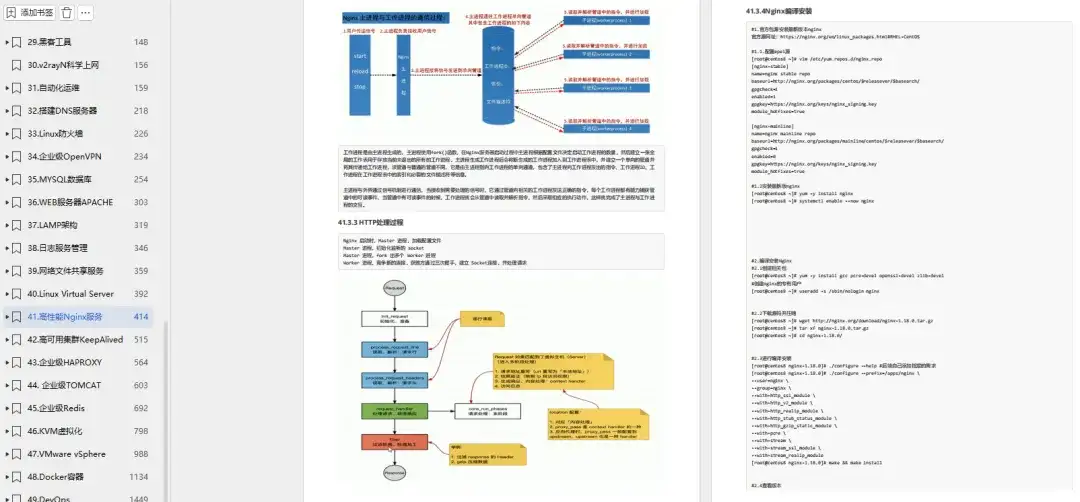
这里给大家分享一份大佬总结的超详细《Linux学习笔记》,足足有1456页!
笔记介绍
今天给大家分享一份超级牛掰的Linux学习笔记,足足有1456页!是一位Linux运维大佬整理分享的,分享是获得大佬同意的,大家有需要的尽管收藏起来!
笔记介绍
这份笔记非常全面且详细,从Linux基础到shell脚本,再到防火墙、数据库、日志服务管理、Nginx、高可用集群、Redis、虚拟化、Docker等等,与其说Linux学习笔记,不如说是涵盖了运维各个核心知识。
并且图文并茂,代码清晰,每一章下面都有更具体详细的内容,十分适合Linux运维学习参考!
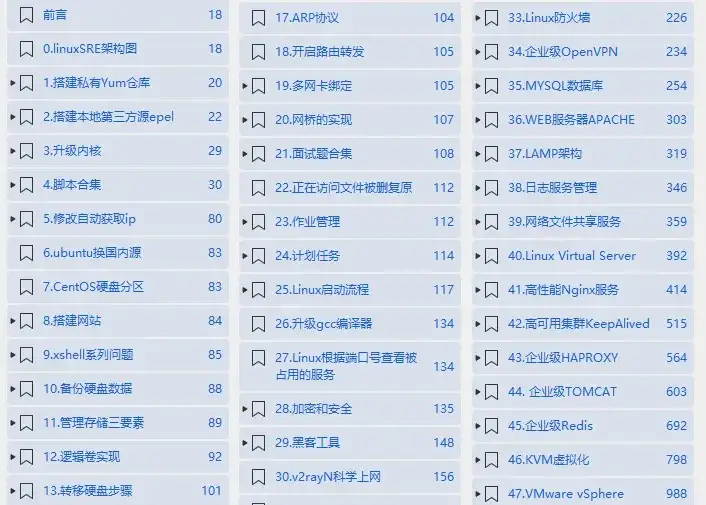
笔记展示
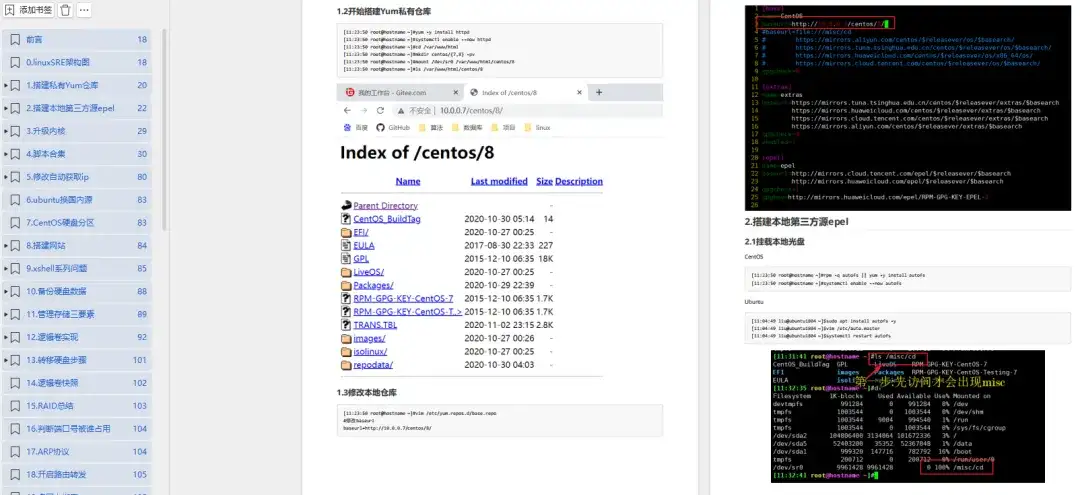
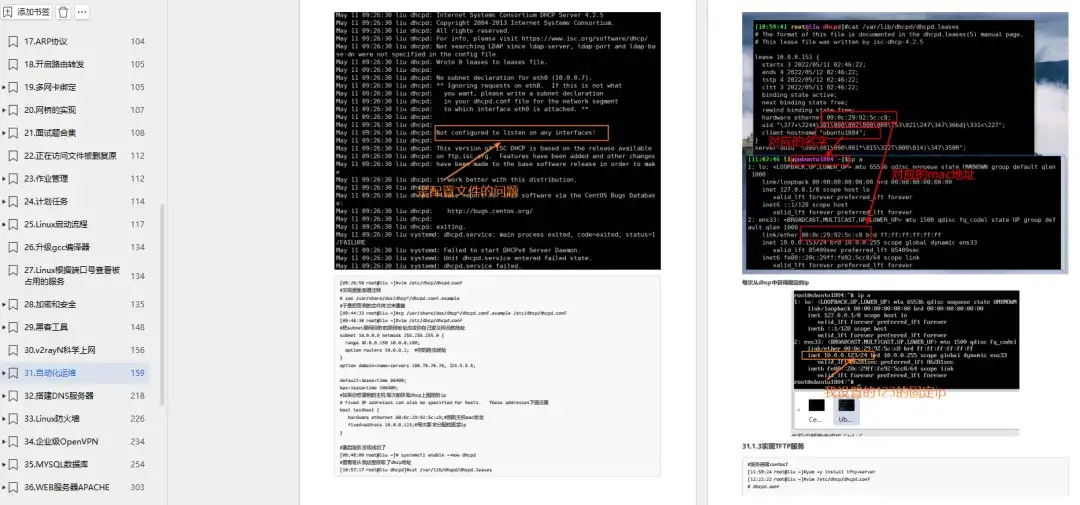
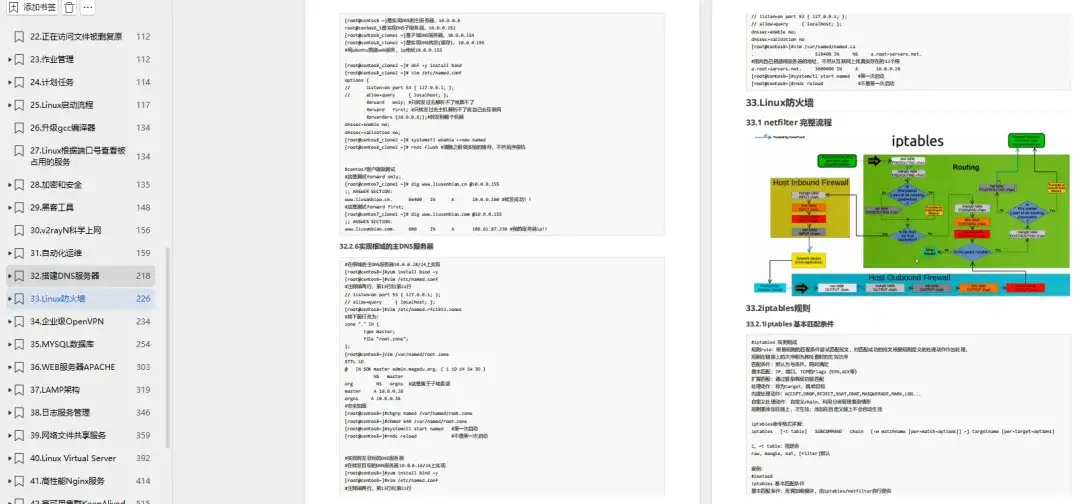
笔记下载
扫描下方二维码,回复暗号“1456页Linux笔记“,即可100%免费领取成功

本文链接:https://www.yunweipai.com/49211.html


网友评论comments